Title here
Summary here


Every asset belongs to a category, such as Computer Equipment, Vehicles or Office Furniture.
The category decides which accounts the asset’s cost and depreciation are posted to, and gives new assets a default depreciation method and useful life.
You need at least one category before you can add an asset.
Go to Company → Asset Management and click on “Asset Categories” in the side menu:
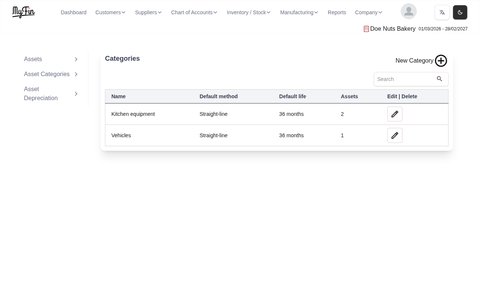
Click on the “New Category” button and fill in the form:
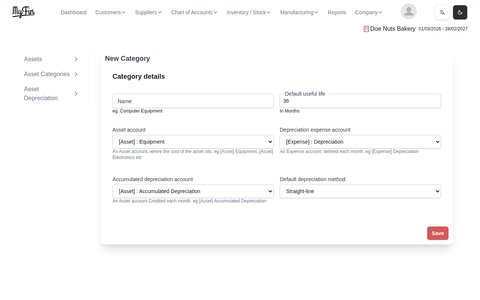
| Field | What it means |
|---|---|
| Name | eg Computer Equipment. |
| Asset account | An asset account where the cost of the assets sits, eg [Asset] Equipment. |
| Depreciation expense account | An expense account debited with the depreciation each month, eg [Expense] Depreciation. |
| Accumulated depreciation account | An asset account credited with the depreciation each month, eg [Asset] Accumulated Depreciation. |
| Default depreciation method | Straight line (the same amount every month) or Declining balance (a percentage of the remaining value, so more in the early years). |
| Default useful life | In months, eg 36 for computers. |
Click on the “Save” button.
Click on the category in the list, make your changes and click “Save”.
Once assets use a category, its accounts can’t change any more. You can still change the name and the defaults.