Title here
Summary here


Export Journal Entries downloads your journal entries as a CSV file that you can open in a spreadsheet or send to someone else, such as your auditor or accountant.
You can export one account’s ledger, or every entry of the company, for a date range.
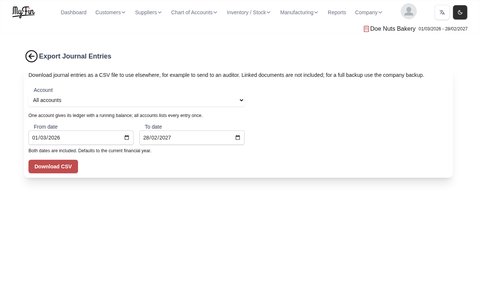
The file is named after the company and the date range, eg my-company-journal-entries-2026-03-01-to-2027-02-28.csv.
All accounts has one row per journal entry, with these columns:
| Column | What it holds |
|---|---|
| Date | The entry date |
| Reference | The document or reference number |
| Description | The entry’s description |
| Account | The account the entry was posted from |
| Contra Account | The other side of the entry |
| Debit | The debit amount |
| Credit | The credit amount |
| Reconciled | Yes or No |
One account has the same columns without Account, plus a Balance column with the account’s running balance. When you choose a from date, the first row is the Opening Balance: the account’s balance from everything before that date, so the running balance matches the account’s real balance.
Amounts are rounded to your company’s currency decimals.