Title here
Summary here


A customer invoice is a formal billing document that a business or service provider sends to a customer after delivering goods or services. It serves as both a request for payment and an official record of the transaction. The invoice typically includes essential details such as a unique invoice number, the date of issue, the seller’s and buyer’s contact information, an itemized list of products or services provided with their individual prices, any applicable taxes or discounts, payment terms, and the total amount due. Invoices are crucial for business operations as they help track sales, manage cash flow, maintain accurate financial records, and provide documentation for accounting and tax purposes. For customers, invoices serve as proof of purchase and clarify exactly what they’re being charged for and when payment is expected.
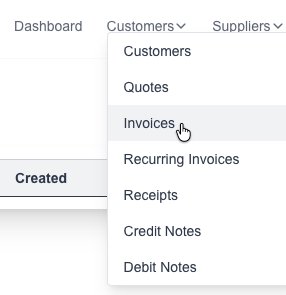
Goto the Invoices page which is under the “Customers” menu:
Click on the “New Invoice” button:

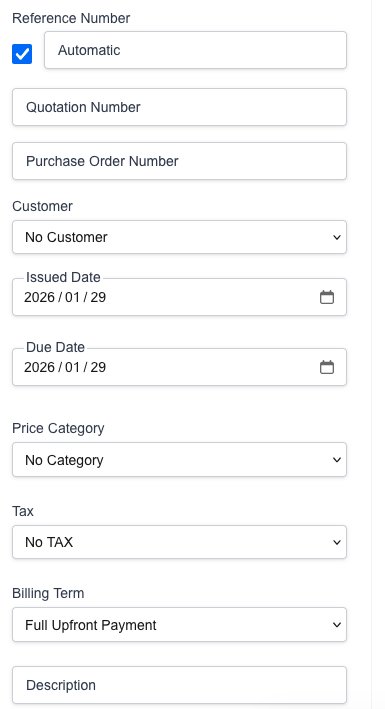
The new Invoice form will appear for you to fill in the desired information:
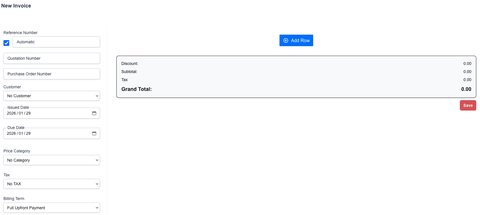
Fill in the desired Invoice details:
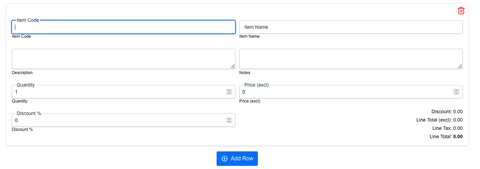
Click on the “New Row” button to add a new item row:

Click on the “Save” button to save the new Invoice. A PDF file will be generated and presented to you.
Goto the Invoices page which is under the “Customers” menu:
You will see a list of all your created invoices:
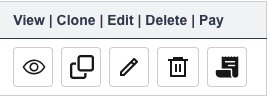
Click on the desired button to either view, clone, edit or delete an Invoice: