Title here
Summary here


The dashboard is where you can add widgets and displays news and help give you an overview of what is happening in your Company.
Click on the “Add Widget” button:
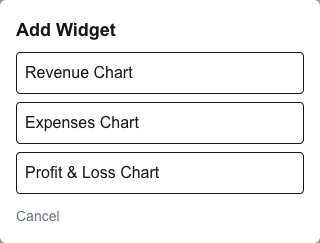
You will be presented with a list of widgets to choose from:
Once added, click on the “settings” button on the widget to configure the widget:


Click and drag either the “move” button or the widgets title to move and reposition it:

You can also click and drag the bottom right corner of a widget to resize it.